Sympose Studio
A desktop music studio for macOS and Windows with an AI agent built in. Here is what it can do.
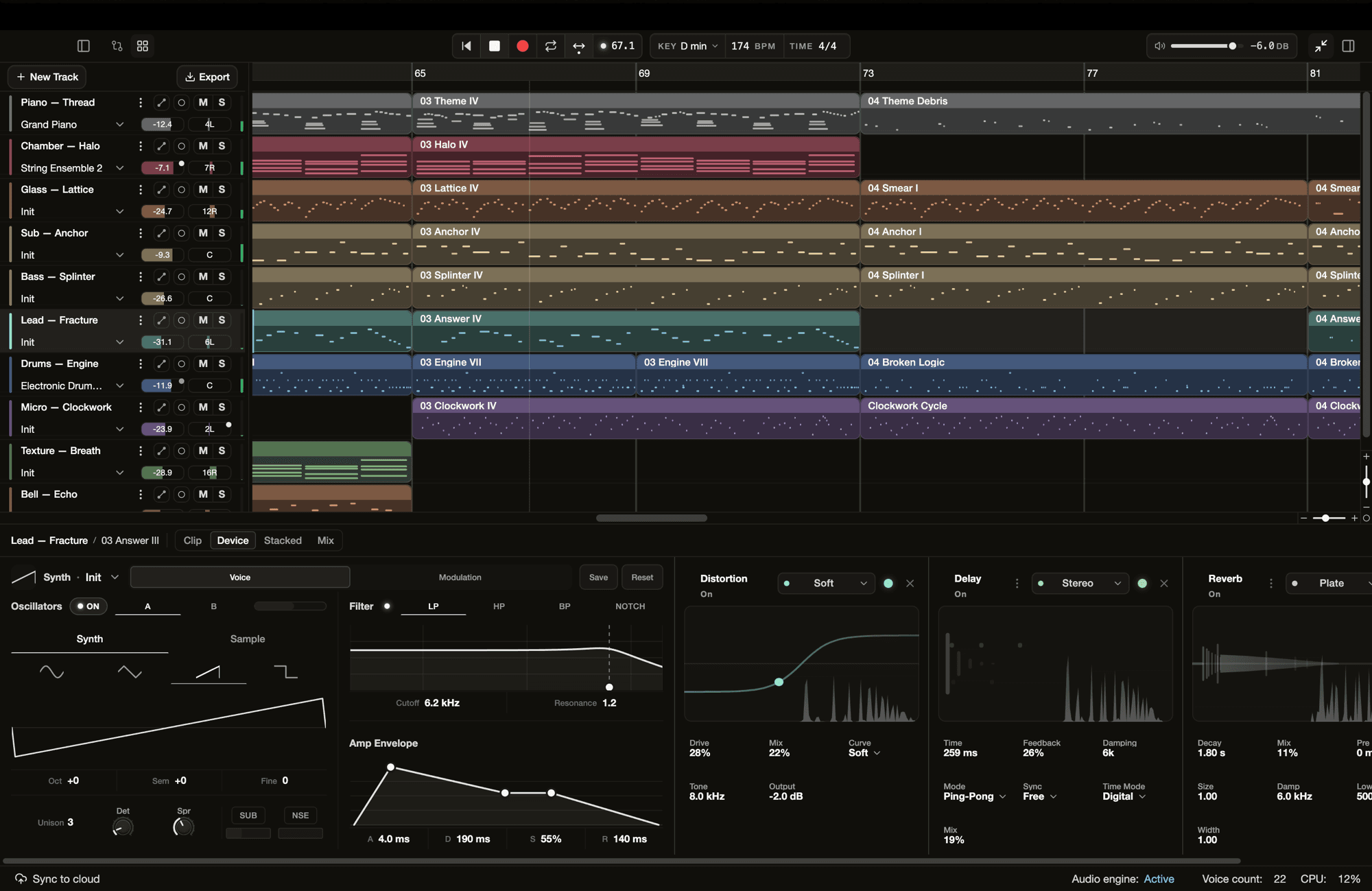
This is Sympose Studio 1.0. Write, arrange, and mix the way you would in any DAW, and ask the agent when you want a part written, a sound shaped, or the mix balanced. These are the main parts of the app.
A full studio
- Arrangement. Move, split, and duplicate clips on a multitrack timeline. Trim and slip audio, and shape it with clip gain, fades, and crossfades.
- Piano roll. Edit pitch, timing, length, and velocity, with scale highlighting and ghost notes from other tracks. Quantize, humanize, and duplicate by hand.
- Recording. Record from a MIDI controller, your computer keyboard, or an audio input, with count-in and record quantization. Takes are non-destructive.
- Import. Start from a MIDI file or from audio in WAV, AIFF, FLAC, MP3, or OGG. Each import lands on its own track and the source file stays untouched.
An agent you direct
Ask for a counter-melody, a darker pad, or more room for the vocal. The agent reads your project and makes the change on your tracks, whether that means notes, a sound, an effect, or a level. You pick the model it uses.
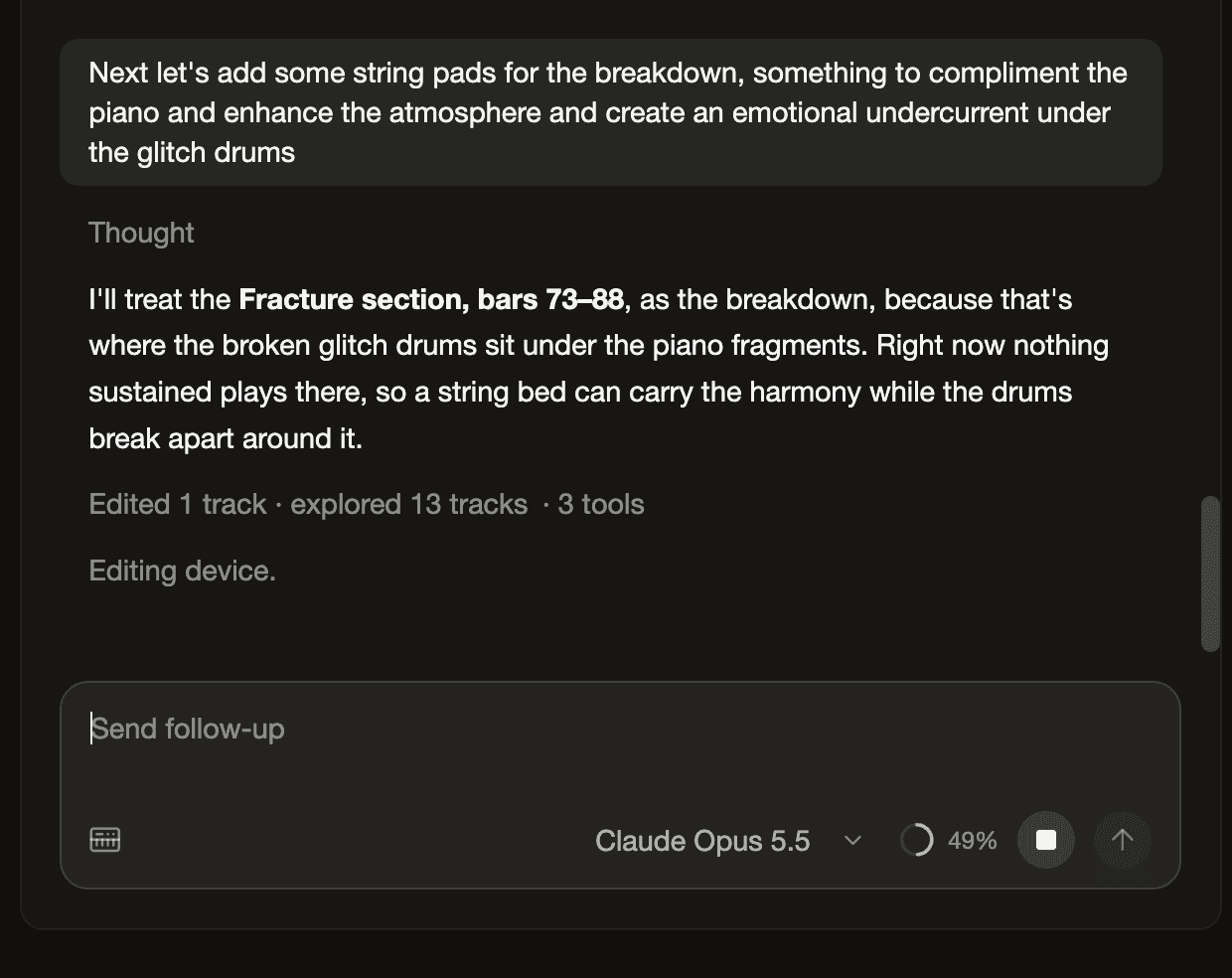
Every turn lands in Changes, which lists the tracks the agent touched with their notes and settings before and after. Audition both versions, keep what you like, and undo the rest turn by turn or track by track.
Sound
- Synth. Two oscillators with analog and sample engines, a multimode filter, envelopes, LFOs, and a modulation matrix. Shape patches by hand or describe the sound you want.
- Instruments and drum kits. Over 150 multisampled instruments plus acoustic and electronic kits, with an instrument browser to search and audition them.
- One-shots, samples, and loops. Describe a sound and the agent generates it, as a playable sample in the synth or as a clip on an audio track sized to your tempo and key.
- Effects. Compressor, plate reverb, delay, distortion, filters, and more in a rack on every track.
Mixing
The mixer has levels, panning, and sends. Ask the agent to check the mix and it measures loudness, true peak, stereo width, and frequency balance on the master and every track, then makes targeted level changes you can review in Changes.
Your projects
Projects live on your machine and work without a connection. Publish to the cloud when you want a backup or want to work across computers. When you are done, drag MIDI into your DAW, render a stereo mix or per-track stems as WAV, FLAC, or MP3, or export a project bundle with everything it needs.
Playback, monitoring, and export run on a native audio engine written in Rust, with configurable sample rate and buffer size.
Get started
Download Sympose Studio. Every plan includes the full studio, and the free plan comes with daily agent credits. The docs walk through each part of the app, and the release notes list every change in each version.